
Adding a Test Owner and Priority to Tests
Learn how to drive ownership and accountability for tests and test results.
Overview
Having a test owner and priority makes it easy to know who the best person is to talk about a particular test and its importance. It’s beneficial for large companies, where several people from different teams and time zones log in to Rainforest.
Assigning a Test Owner to a Single Test
Only existing Rainforest users can be assigned as test owners. If you want to add someone new, invite them using the Your Team page.
- Navigate to a test.
- Click the 3-dot icon, then select Settings at the top of the test.
- Scroll to the Test Owner section to select a team member as the owner.
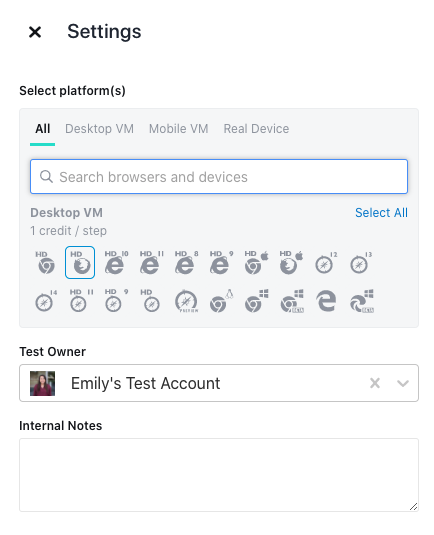
Assigning an owner to a test
Note: Performing these steps replaces the current owner of any selected test with the new test owner.
Assigning a Test Owner to Multiple Tests
Select several tests from any of the following pages:
What Is Test Priority?
Test priority is a test-level attribute that allows you to define how critical a test is to your application, using P1, P2, and P3. These markers are strictly for filtering and categorization. Priority doesn’t impact how the test runs in Rainforest.
P1 should be used for mission-critical tests in a smoke suite. By contrast, P3 can be used to indicate non-essential functionality that is tested less frequently.
You can also use the Rainforest CLI to add a priority. The CLI confirms that a P1, P2, or P3 priority is added when you upload the test.
If you have any questions, reach out to us at [email protected].
Updated 7 months ago